Phase 4 of 11
Dynamic Groups
Overview
What was built
Entra ID does not allow changing an existing group's membership type after creation, so a new group, SG-Engineering-Dynamic, was created specifically to demonstrate attribute-based membership rather than converting the existing assigned SG-Engineering group. The rule is simple: any user whose department attribute equals Engineering is added automatically, and removed automatically the moment that attribute changes.
How it works
The walkthrough
Step 1 of 1
Testing the rule against a real attribute change
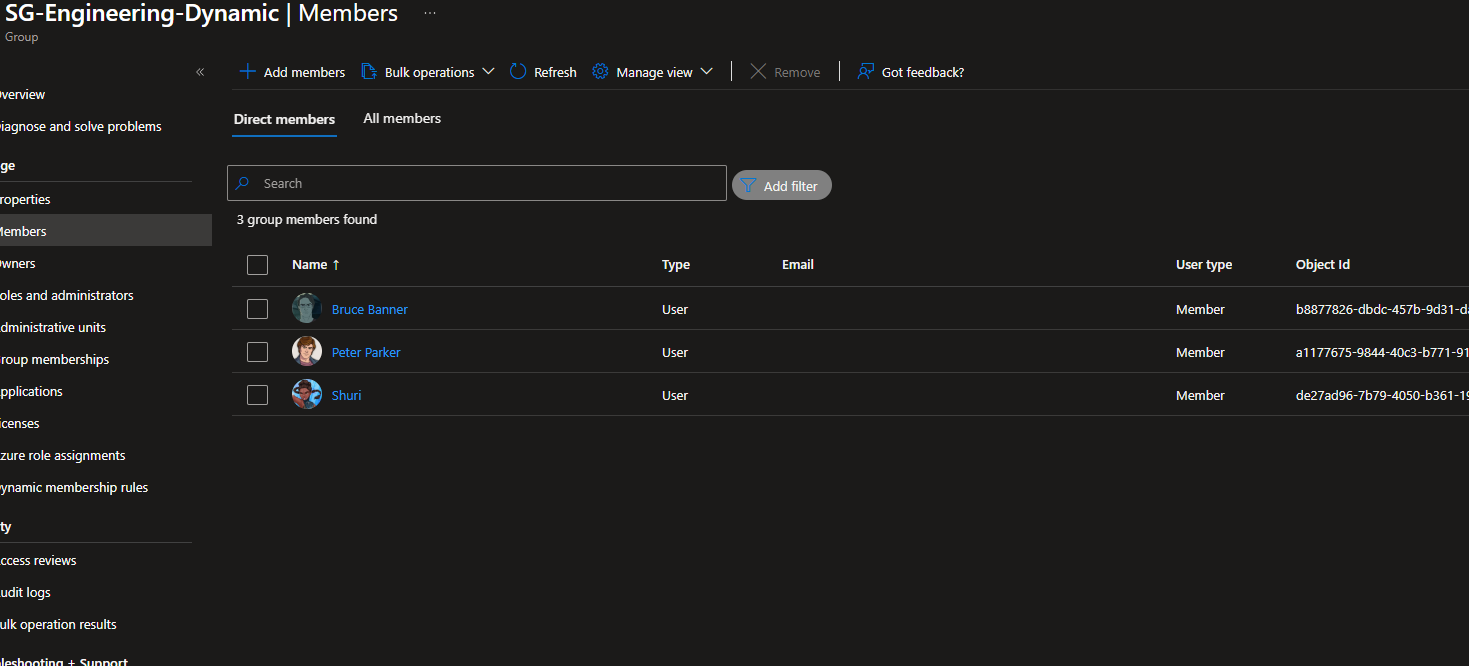
Tony Stark, Bruce Banner, and Shuri were added automatically the moment the group was created, since their department already matched the rule.
Changed Steve Rogers' department to Engineering and watched him get added to SG-Engineering-Dynamic within the sync cycle, with no admin action taken. Reverting his department back to Operations removed him from the group just as automatically, while SG-Operations itself, an assigned group, stayed completely unaffected by any of it, since assigned groups only respond to manual admin changes, never to attribute changes.
What I learned
Takeaways
This is the foundation the Mover workflow in Phase 11 depends on. When an employee's department attribute updates, a dynamic group reflects that instantly with no extra admin step, which is exactly the behavior a real Mover automation needs to build on top of.