Phase 3 of 11
Groups and Licensing
Overview
What was built
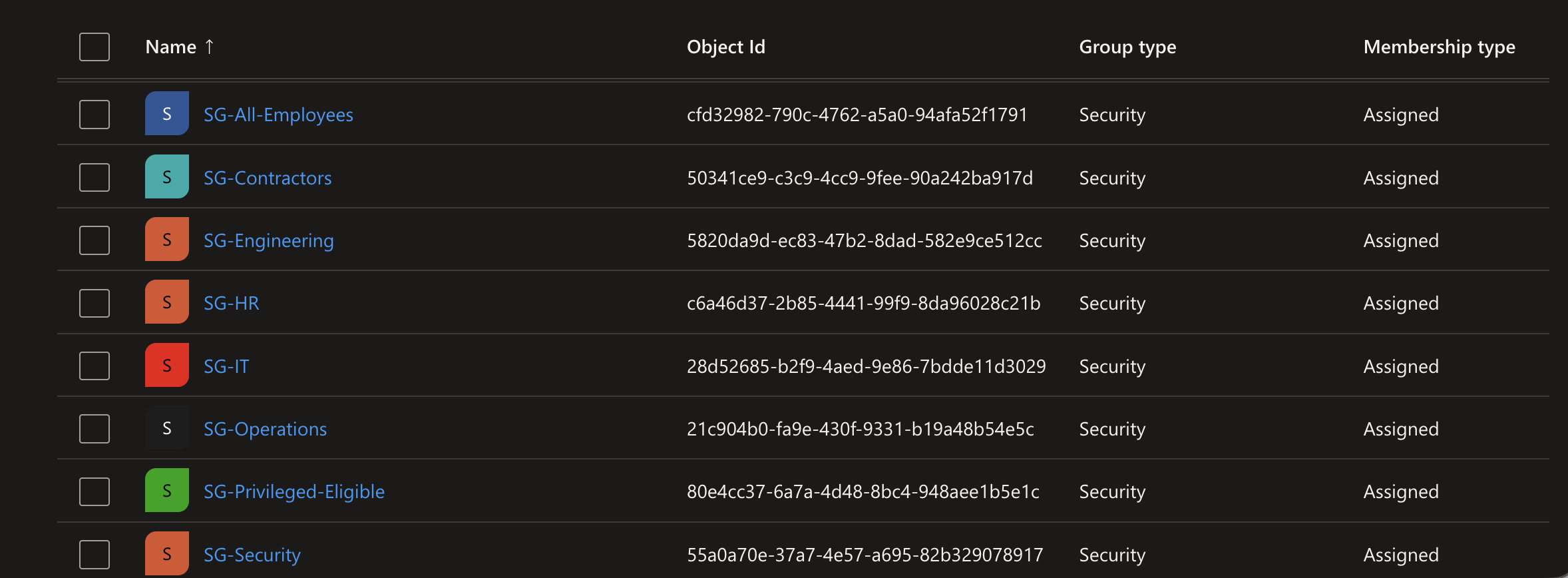
Eight security groups map to real departments: Security, IT, HR, Engineering, Operations, Contractors, an all-employees group used for baseline licensing, and a group scoped specifically to PIM role eligibility in Phase 9. Contractors were deliberately kept out of SG-All-Employees. Mixing contractors with employees in the same group would let a contractor inherit employee access by accident, so the separation is a security boundary, not just an organizational label.
How it works
The walkthrough
Step 1 of 2
Groups, membership, and automatic licensing
Four cloud-only users (Sharon Carter, Sam Wilson, Bucky Barnes, and JARVIS) were created through Entra ID's bulk import CSV feature before any group assignment happened, then placed into their department groups alongside the existing hybrid users.
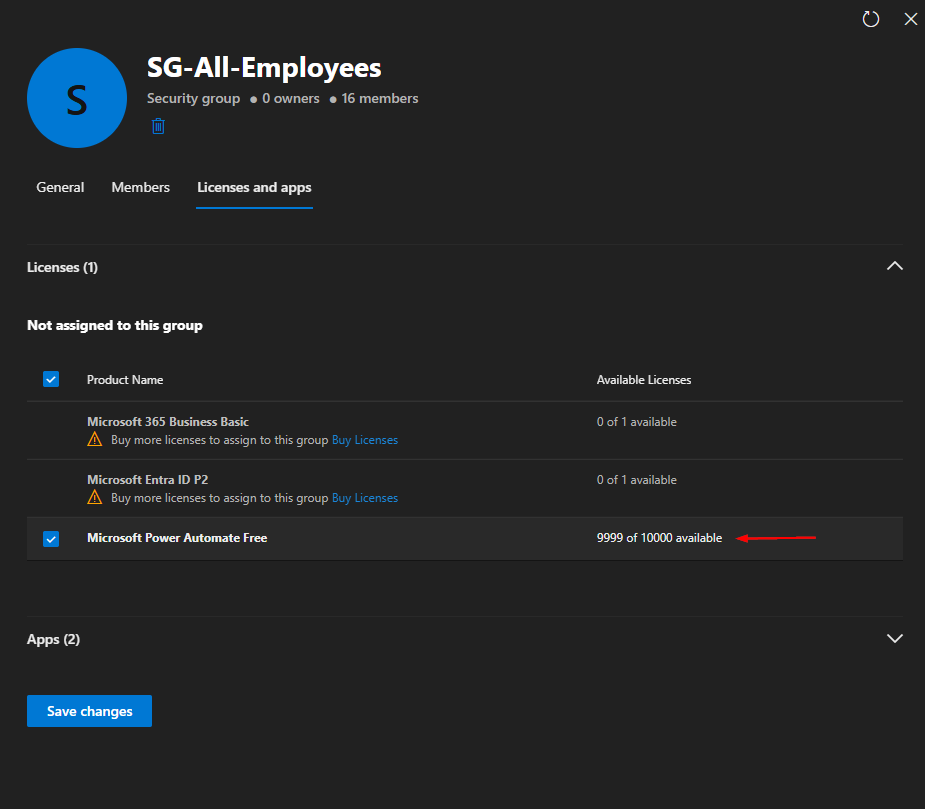
Microsoft Power Automate Free was assigned to SG-All-Employees at the group level rather than per user. Adding someone to that group assigns their license automatically; removing them removes it automatically, with zero manual license assignment per user. Tony Stark's license showing up correctly after being added to the group confirmed the whole chain end to end.
Step 2 of 2
Why SG-Privileged-Eligible stays nearly empty
SG-Privileged-Eligible is reserved specifically for PIM role eligibility, built out fully in Phase 9. Only accounts that actually require elevated admin access should ever sit in this group. Adding regular users here, even temporarily, would violate least privilege before PIM is even in the picture.