Phase 11 of 11
Identity Governance and JML
Architecture
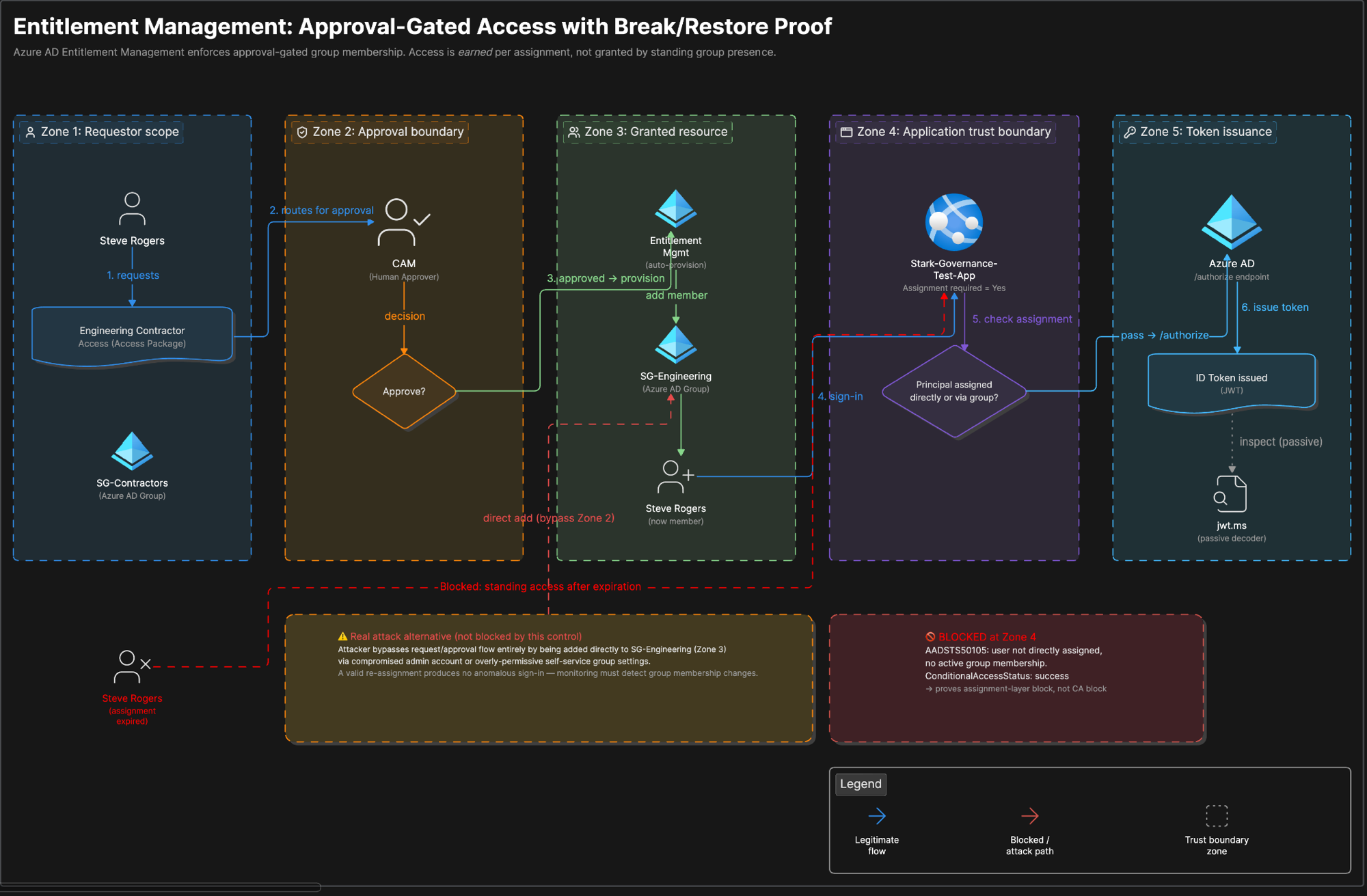
Overview
What was built
Two access package patterns cover two different risk profiles a real company actually has: a low-friction, self-service package for internal staff, expiring after ninety days, and a higher-friction, approval-gated pattern for anyone outside the default employee trust boundary, expiring after just one day and gated behind a test application that only issues a token to currently-assigned members. A Terms of Use policy enforced through Conditional Access and access reviews for the contractor population round out the governance layer, and Joiner, Mover, Leaver workflows automate the lifecycle itself: enabling new hires on their hire date, notifying a manager and cleaning up group membership on a department change, and disabling accounts entirely on an employee's last day.
How it works
The walkthrough
Step 1 of 3
Terms of Use and the self-service baseline package
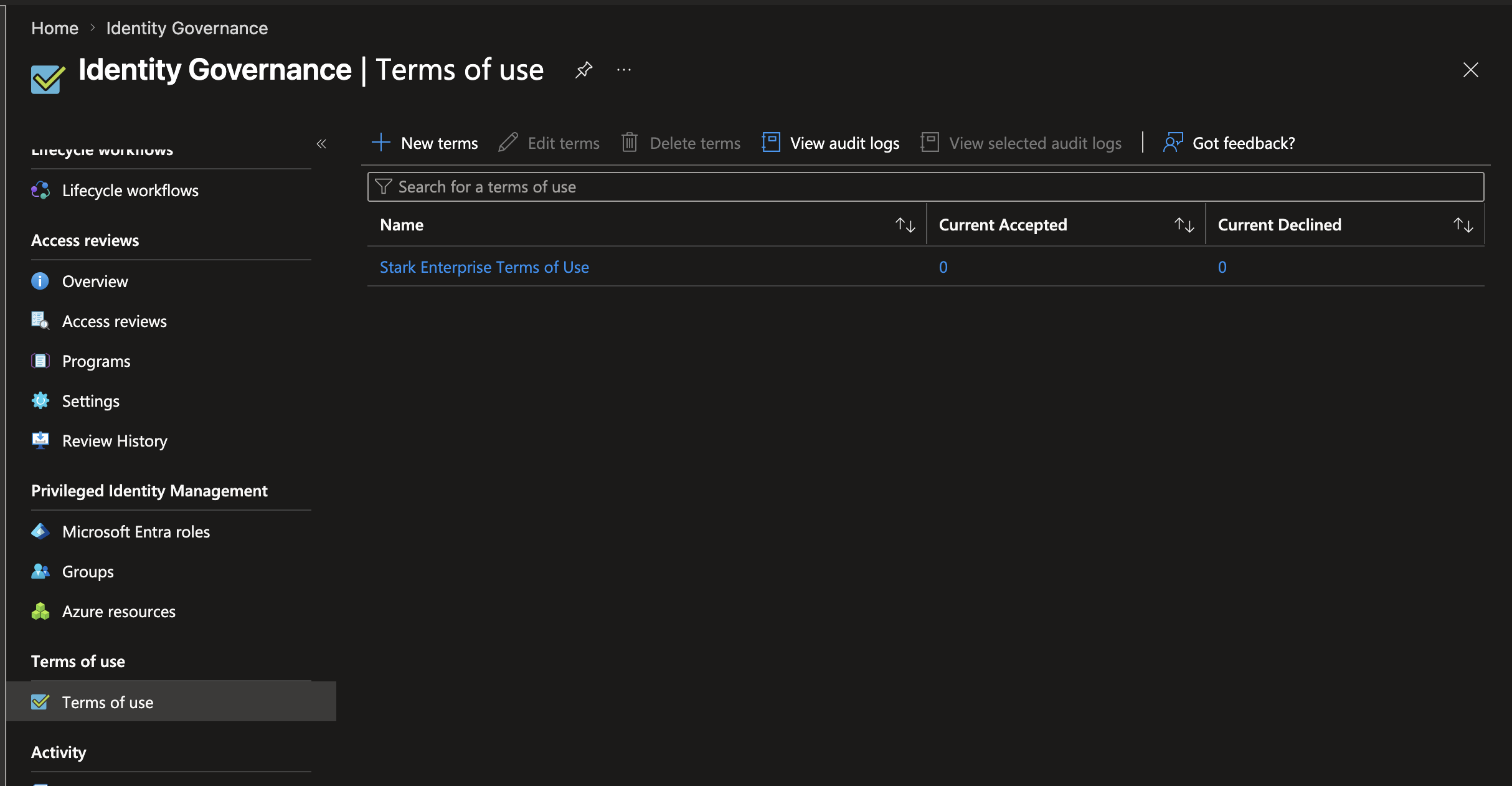
Created a Terms of Use policy requiring users to expand and read a real acceptance document before continuing, enforced through a dedicated Conditional Access policy and scoped to a test user. Consent expires monthly, requiring re-acceptance rather than a one-time click that lasts forever.
Built a baseline access package that any internal member can self-request with no approval stage, expiring after ninety days. The package did not appear for the test user on the first attempt, because the Self checkbox under "who can request access" was not enabled in the policy. Once corrected, the package appeared and worked as intended, a reminder that low-friction by design still has to be configured correctly to actually be low-friction.
Step 2 of 3
Proving the approval-gated package under a real failure
Built a second, higher-friction access package for anyone outside the default employee trust boundary, requiring approval and expiring after one day, then built a dedicated test application that only issues a sign-in token to members of the group the package grants. Configuration screens prove nothing on their own, so a live assignment was deliberately removed to see what actually happens.
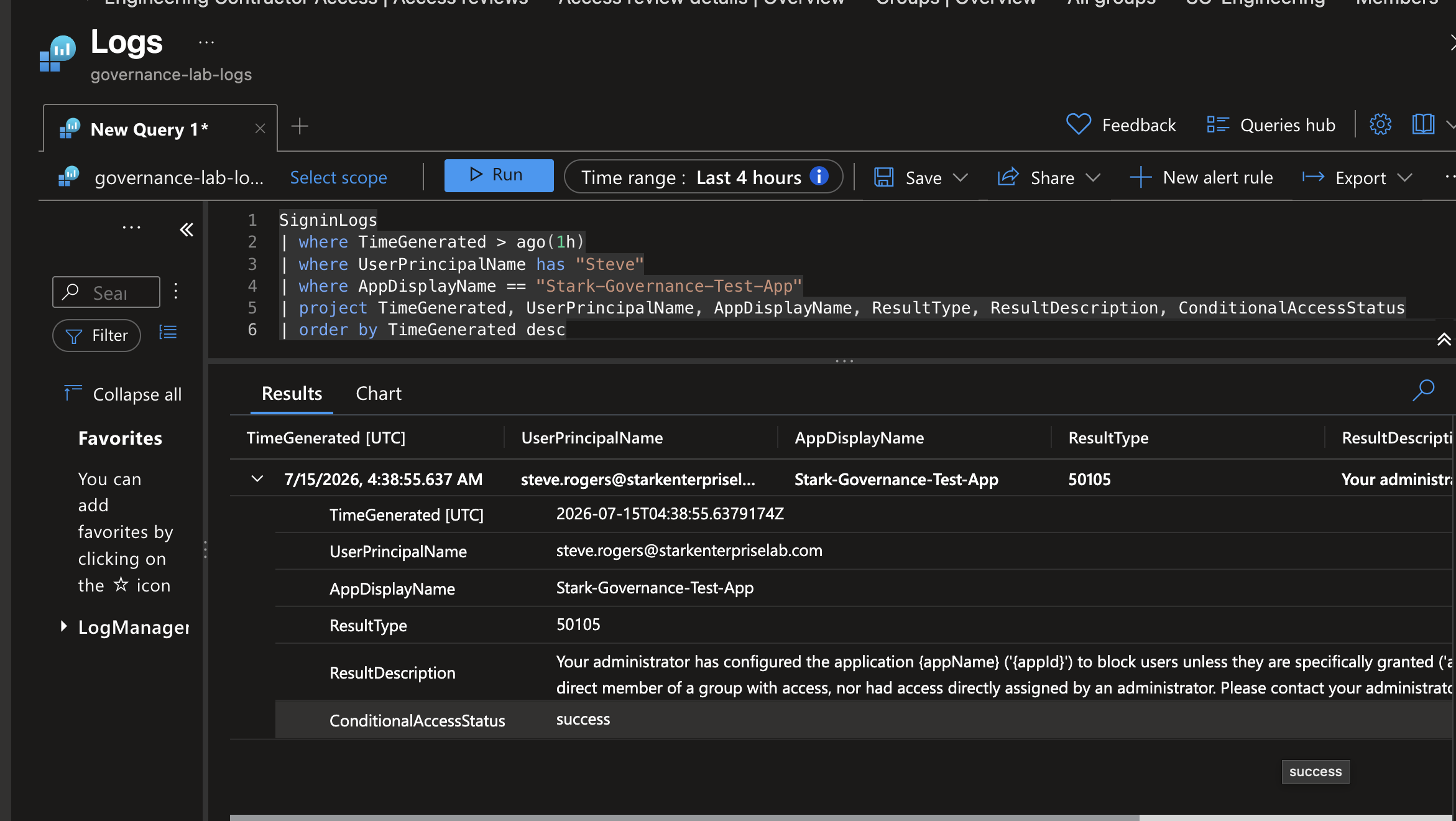
The result was a specific, named error, AADSTS50105, not a generic access-denied message. The sign-in log's result description said exactly why: the user is not a direct member of a group with access, and has no direct admin assignment either. The field that mattered most was ConditionalAccessStatus, which still read success on that same log line, proving the block came from entitlement enforcement specifically, not from Conditional Access, a completely different control already enforced since Phase 8.
A departed contractor signing in with a still-valid, un-revoked credential produces no anomaly for monitoring to catch, because it is a real credential being used normally. The only control that catches standing access like that is a scheduled, recurring review, which is the actual argument for everything built in this phase, not just a compliance checkbox.
Step 3 of 3
Joiner, Mover, Leaver automation
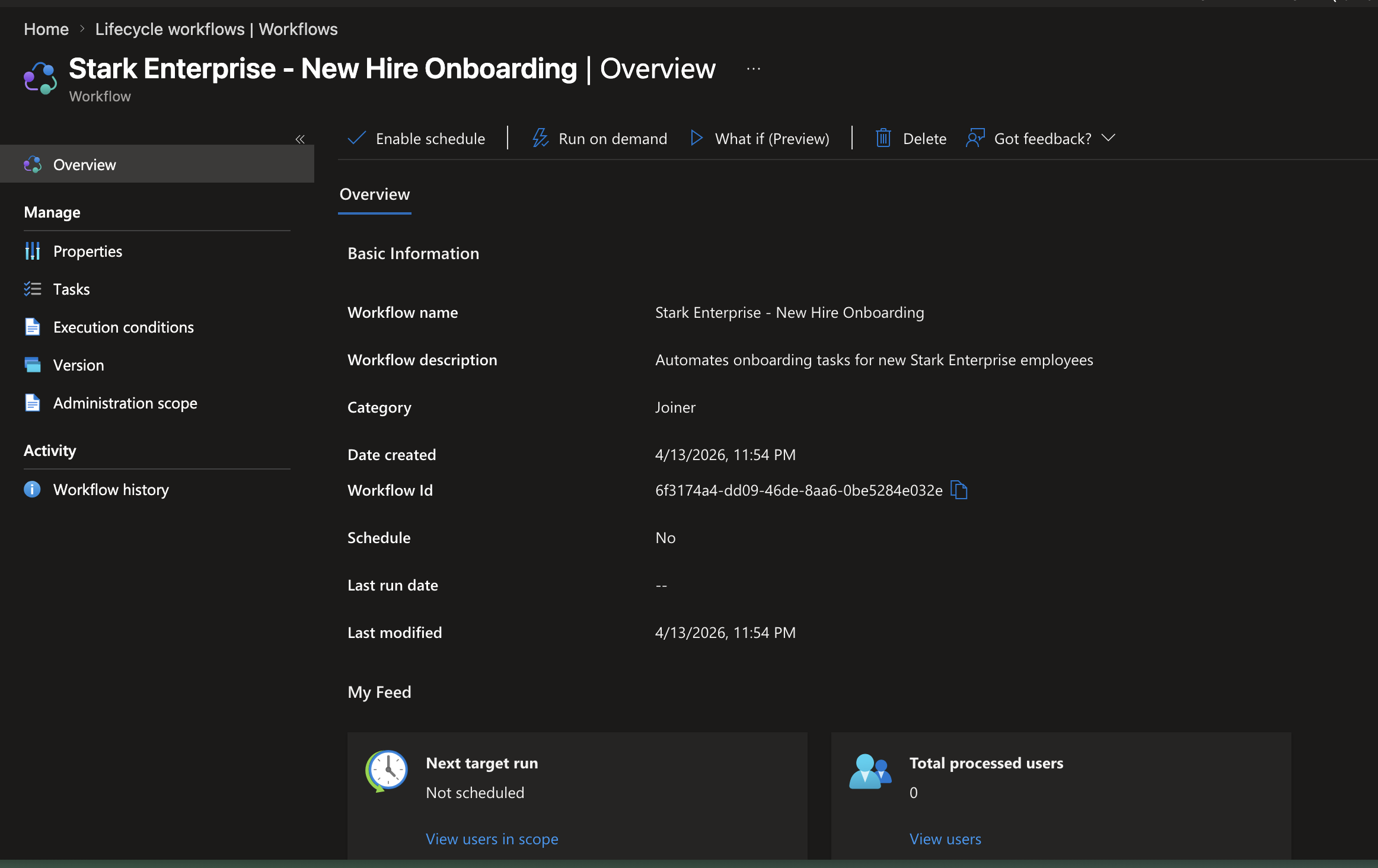
A Joiner workflow enables a new hire's account, sends a welcome email, and adds them to baseline groups automatically on their hire date. A Mover workflow notifies a manager and removes stale department group membership the moment an employee's department attribute changes, building directly on the dynamic group work from Phase 4. A Leaver workflow disables the account, strips every group membership, and notifies the manager automatically on an employee's last day.
None of it depends on someone remembering to file a ticket, which is the entire point. Manual JML processes fail because people forget steps, not because the steps themselves are hard.
What went wrong
Honest account
The approval-gated access package built for the break test had a real bug: every field in the assignment policy, requestor scope, approval stage, expiration, review, was correct, except the policy's own Enabled toggle was set to No. Nothing else in the UI strongly signals that this one toggle is why a fully-configured policy grants nobody anything.
The test application built specifically to prove the access package under failure hit a real planning gap: it was registered with no redirect URI, copying a pattern from the Wise Integration project that assumed a service-to-service call rather than an interactive human sign-in. That broke the normal My Apps launch tile with a not-configured-for-single-sign-on error, fixed by adding a redirect URI and testing through a direct sign-in URL instead. A separate finding surfaced right after: the first sign-in attempt returned a need-admin-approval consent screen, because self-service user consent is disabled tenant-wide, a real anti-consent-phishing control, not a bug, resolved with a one-time admin consent grant.
What I learned
Takeaways
Standing access has no anomaly for monitoring to detect. A departed contractor's still-valid credential looks identical in the sign-in logs to any normal sign-in, because it is one. That is the actual argument for access reviews: they are not a compliance formality, they are the only mechanism that catches access nobody remembers granting, on a schedule the organization controls instead of finding out at audit time or after an incident.