Phase 6 of 11
Federated Identity Provider
Overview
What was built
Without federation, IT has to create a Microsoft account for every contractor, manage its password, and remember to disable it when the contract ends. A forgotten offboarding step creates an orphaned account and a real security risk. With Google federation, a contractor signs in with credentials they already own, no new account exists for IT to manage, and access ends naturally the moment the contractor's own organization revokes their Google account.
How it works
The walkthrough
Step 1 of 1
Setting up the trust and confirming the flow
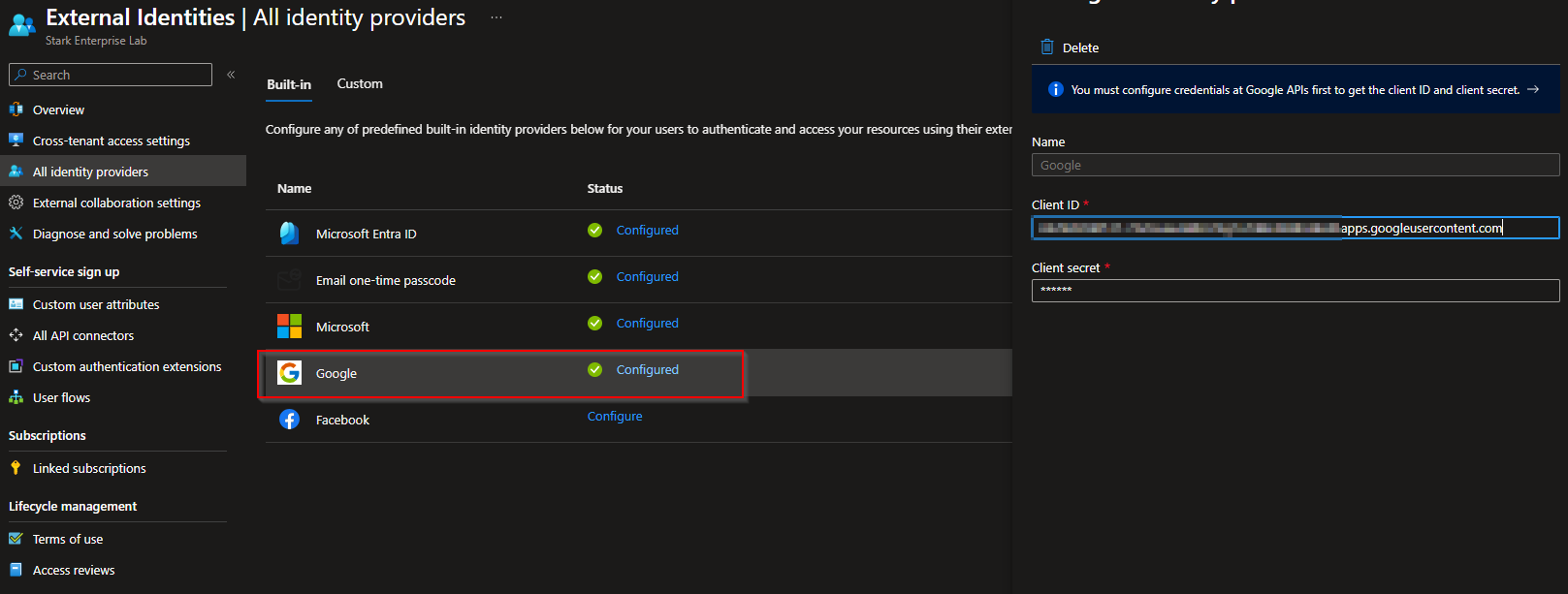
Configured Google as an identity provider under Identity, External Identities, All identity providers, using a dedicated Google Cloud project and the redirect URI Entra ID requires.
When Logan, the contractor with a Gmail address, attempts to sign in, Entra ID detects the Gmail domain, redirects to Google for authentication, and Google returns a trusted token. Stark Enterprise never sees or stores Logan's Google password at any point in that exchange.