Phase 8 of 11
Conditional Access
Overview
What was built
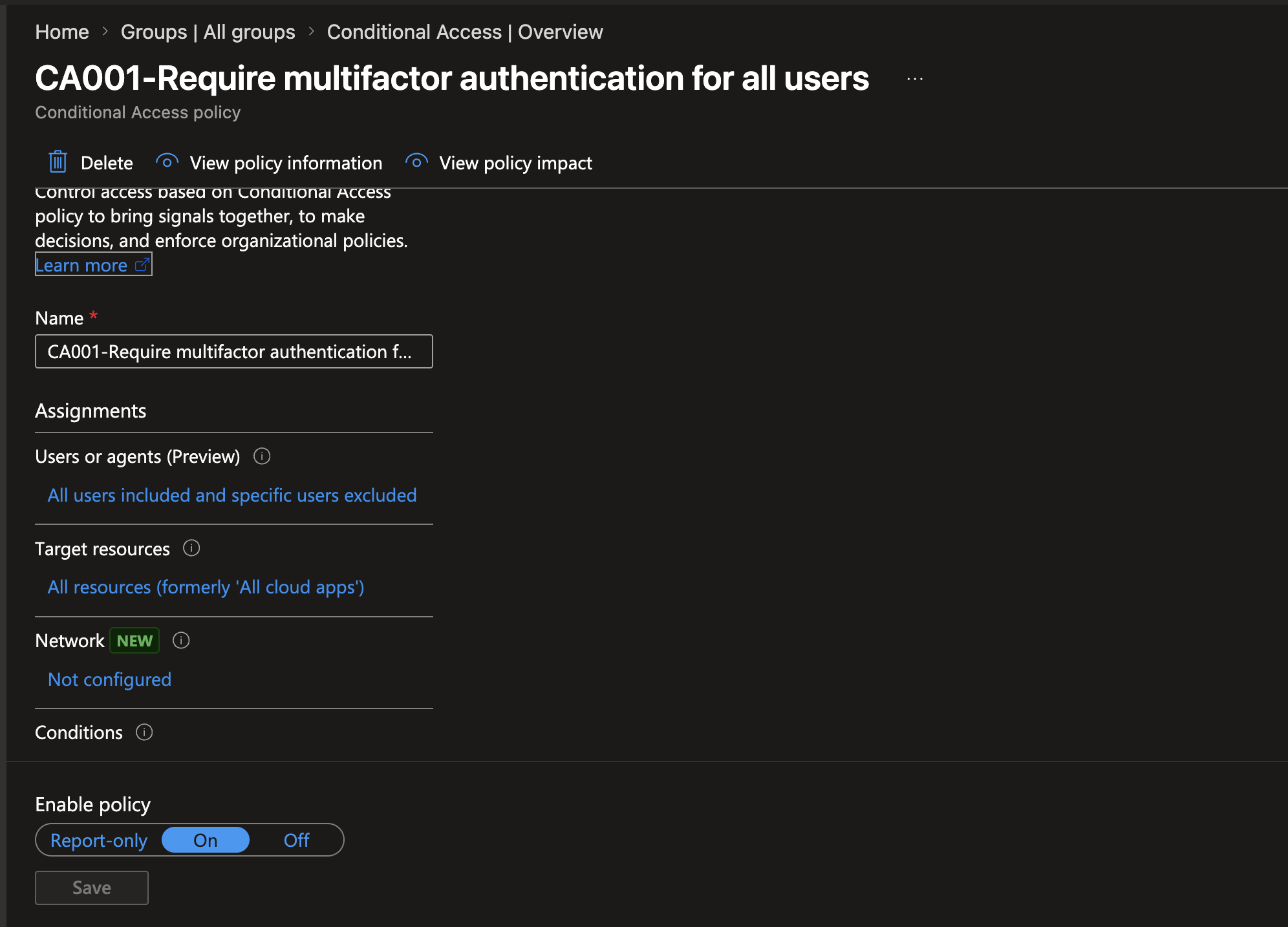
Three policies went live: CA001 requires MFA for every sign-in to any cloud app, regardless of location or device. CA002 blocks legacy authentication protocols like POP3, IMAP, and SMTP outright, since those protocols predate MFA and have no mechanism to support it, meaning an attacker with stolen credentials could otherwise bypass MFA entirely through an older protocol. CA003 requires MFA automatically the moment Entra ID detects a risky sign-in, such as an impossible travel pattern or a leaked credential.
How it works
The walkthrough
Step 1 of 2
Testing policies before trusting them
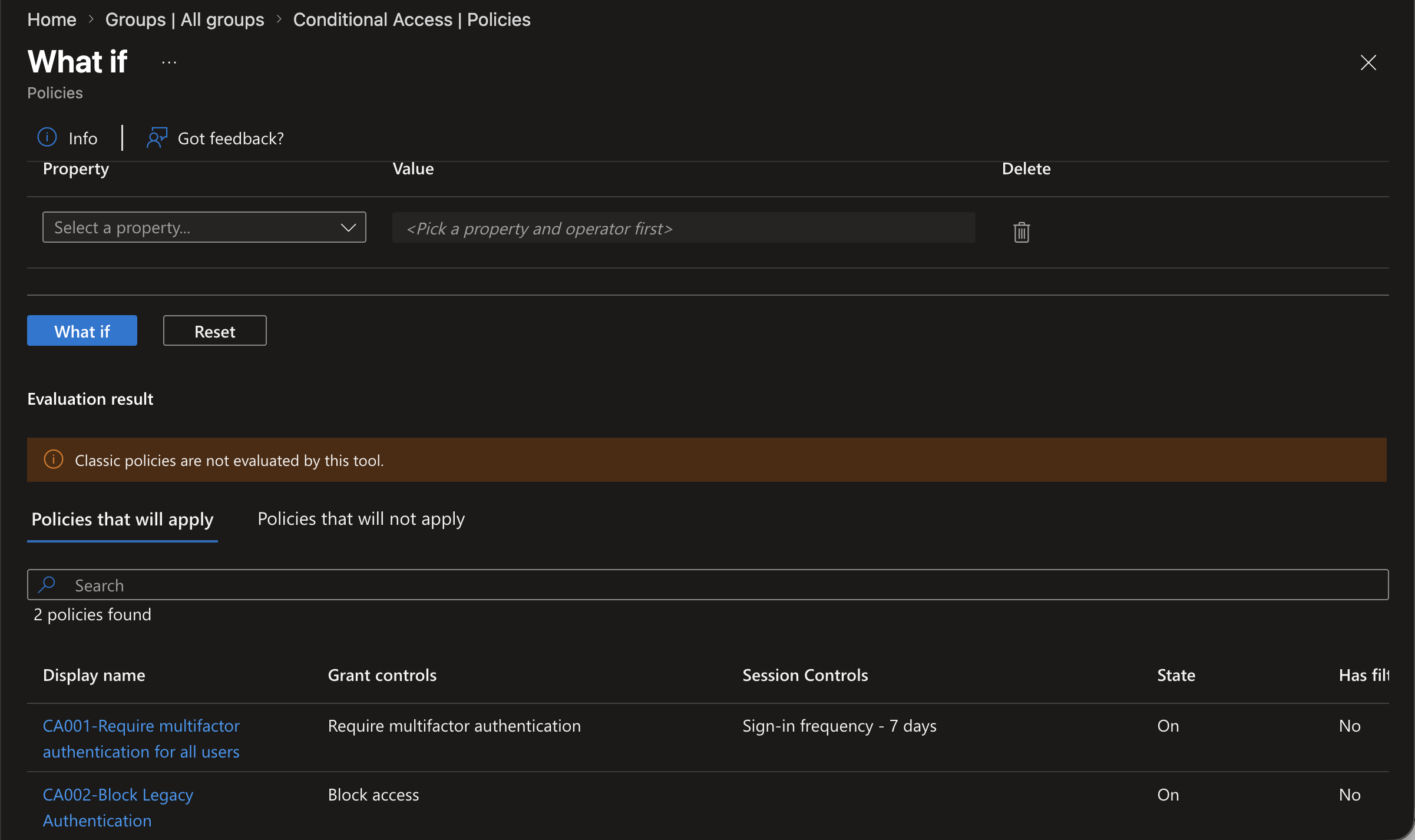
Used the What-If tool against a test scenario, Tony Stark signing in from a Windows browser with no sign-in risk, and confirmed CA001 and CA002 both applied exactly as designed before relying on either policy in practice.
All three policies were set to On rather than Report-only, since there were no real production users at risk of being locked out in this lab. In a production tenant, Report-only for at least a week would come first, specifically to catch any application still depending on a protocol CA002 blocks before enforcement goes live.
Step 2 of 2
The hybrid identity gap this exposed
Once MFA enforcement went live, hybrid users started failing sign-in with error 53003, while the cloud-only test user was completely unaffected. The root cause traced all the way back to the original Entra Connect setup in the Active Directory Lab, where Password Hash Synchronization never actually got enabled, because the domain controller had no real internet access when that wizard first ran.
The fix was giving STARK-DC01 genuine internet access, re-running the Entra Connect wizard with Password Hash Sync and Password Writeback explicitly enabled, and forcing a full sync cycle with Start-ADSyncSyncCycle -PolicyType Initial. Sign-in logs afterward confirmed hybrid users authenticating successfully with Conditional Access showing Success, the same fix that also resolved the SSPR writeback error from Phase 7.
What went wrong
Honest account
Hybrid users started failing sign-in with error 53003 once MFA enforcement went live, while the cloud-only test user was unaffected. The root cause was a missing Password Hash Synchronization setting dating back to the original Entra Connect configuration in the Active Directory Lab, fixed by reconnecting the domain controller to the internet, re-running Entra Connect with Password Hash Sync and Password Writeback enabled, and forcing a full sync cycle.