Project 7
Wise API Integration Gateway
Architecture
Overview
What was built
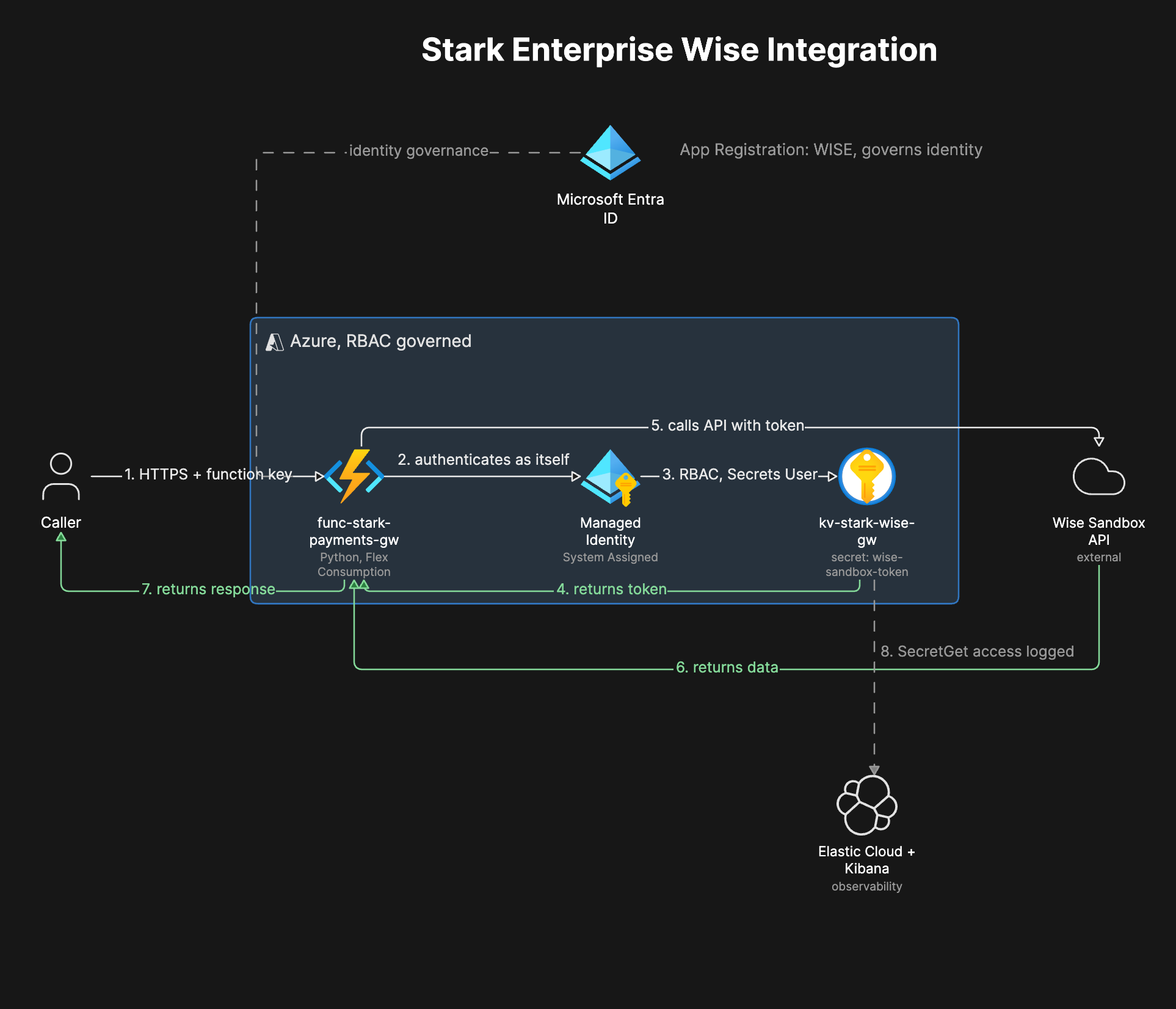
Built an internal payment gateway using an Azure Function that calls the Wise sandbox API on behalf of authorized callers. The Wise API token lives in Azure Key Vault, never in code, and a system-assigned Managed Identity on the Function retrieves it at runtime through Azure RBAC, with zero credentials stored anywhere in the codebase. A Microsoft Entra ID App Registration gives the service its own governable identity in the tenant, and Elastic Cloud with Kibana provides log-based visibility into the Key Vault access layer.
Once the system was working end to end, I deliberately broke it four different ways (a missing IAM role, a stale credential, a valid but under-permissioned credential, and a bad function key) and diagnosed each failure the way a support engineer actually would: using only the HTTP response and the platform logs available at each layer.
Why
Why it matters
Companies don't send money by manually logging into a payment provider's website. They build internal software that calls the provider's API on their behalf, and that software needs its own identity, its own access controls, and its own credential handling, the same as any other piece of enterprise infrastructure. A script with an API token pasted directly into it is not a real integration, it's a liability waiting to be found.
This project exists to prove a specific, narrow skill: given nothing but an HTTP status code and a response body, correctly identify which layer of a system failed. Two of the four scenarios return the exact same 401 status and would look identical to a customer describing "my token doesn't work," but they point to two completely different fixes. Telling them apart from the response alone, rather than guessing, is the actual job.
How it works
The walkthrough
Step 1 of 9
Register the app in Entra ID
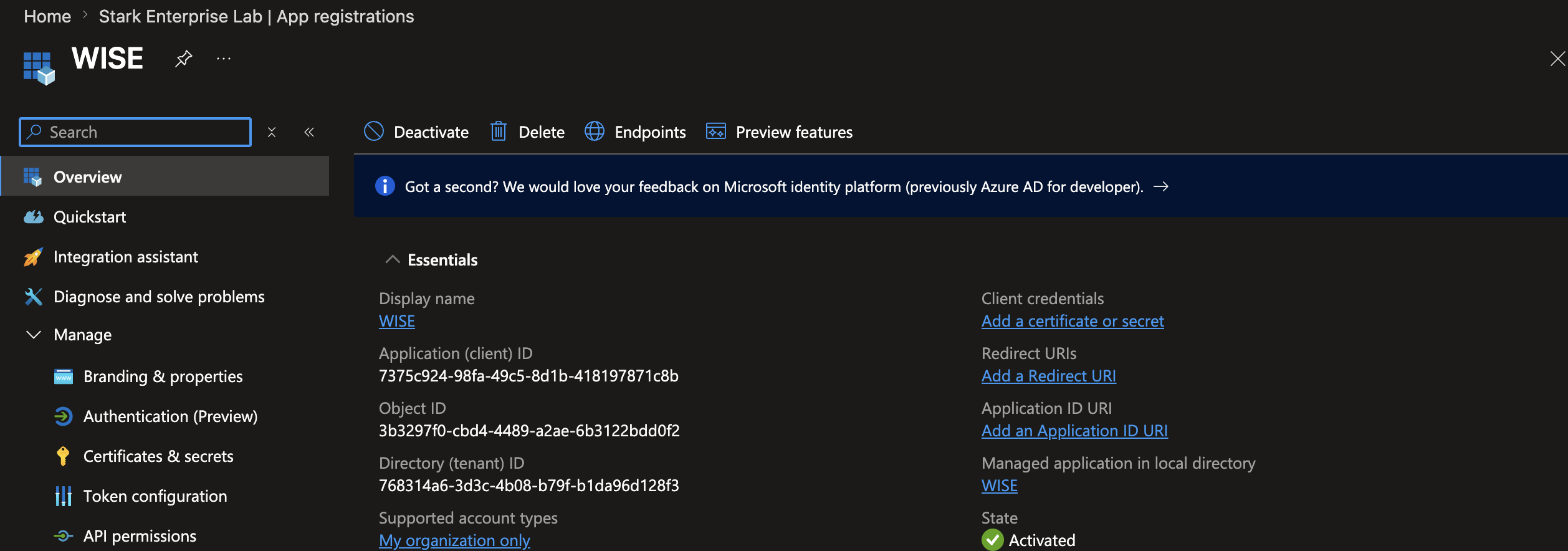
Registered an App Registration named WISE in Entra ID with no redirect URI, since this is a service-to-service app with no interactive sign-in. It doesn't authenticate to Wise directly, Wise has no concept of Entra as an identity provider, what it provides is a governable identity inside Azure that can carry RBAC and produces real sign-in logs for auditing.
Step 2 of 9
Create the Key Vault with Azure RBAC
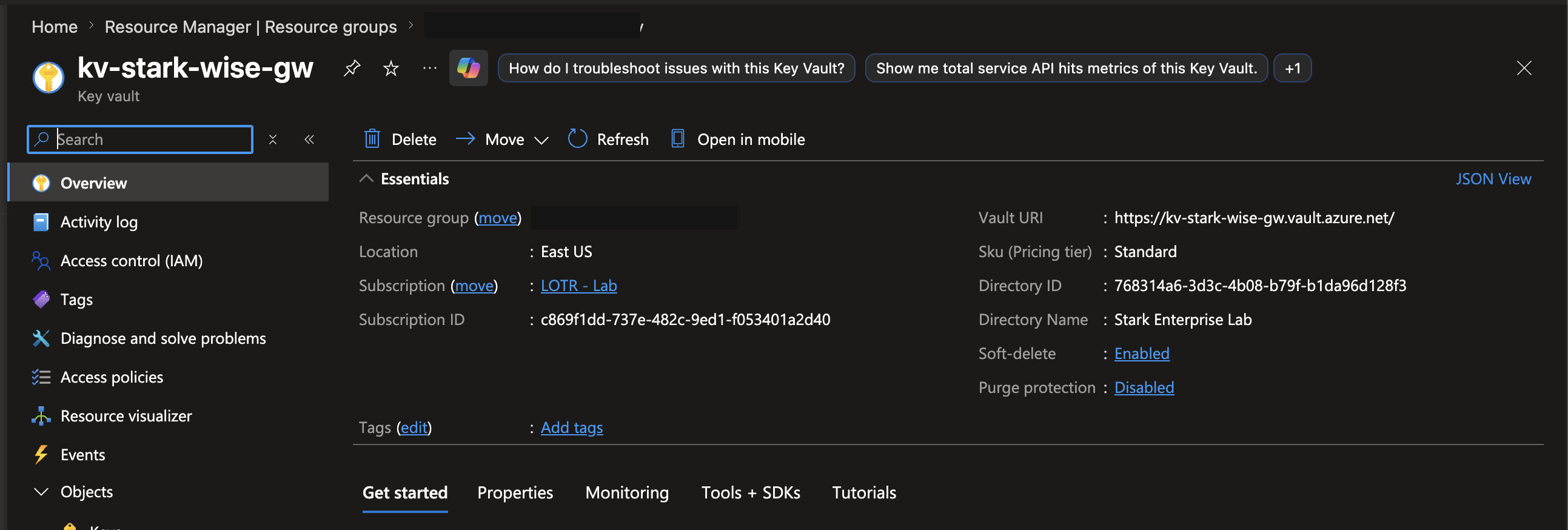
Created a Key Vault using the Azure RBAC permission model instead of legacy access policies. Switching to RBAC immediately locked me out of my own vault with The operation is not allowed by RBAC, since Azure RBAC grants no implicit data-plane access to the resource creator. Fixed by explicitly assigning myself Key Vault Secrets Officer, the same rule that applies to every other identity, with no exception for ownership.
Step 3 of 9
Store the Wise token as a secret
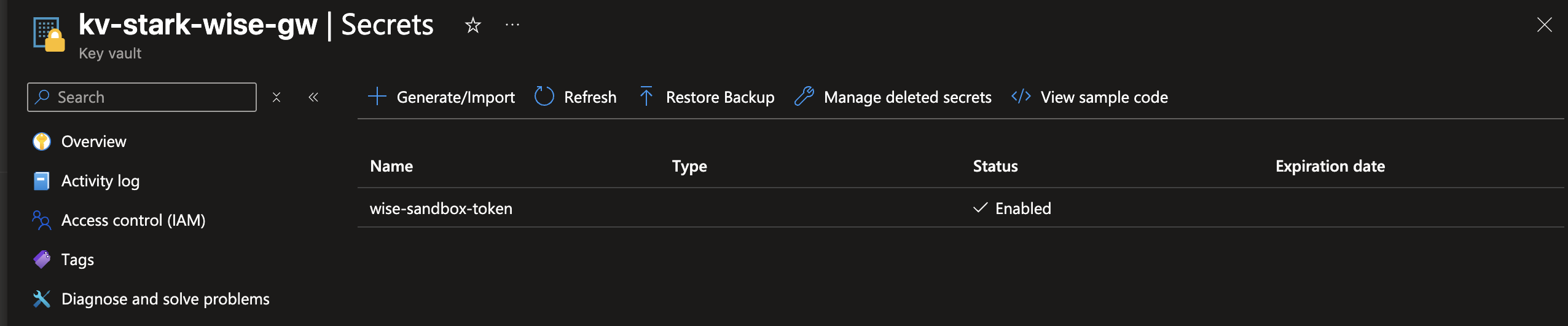
Stored a dedicated personal API token, generated specifically for this project, as a Key Vault secret. Each integration gets its own scoped credential instead of sharing one token across services, so a leak or rotation in one place never touches another.
Step 4 of 9
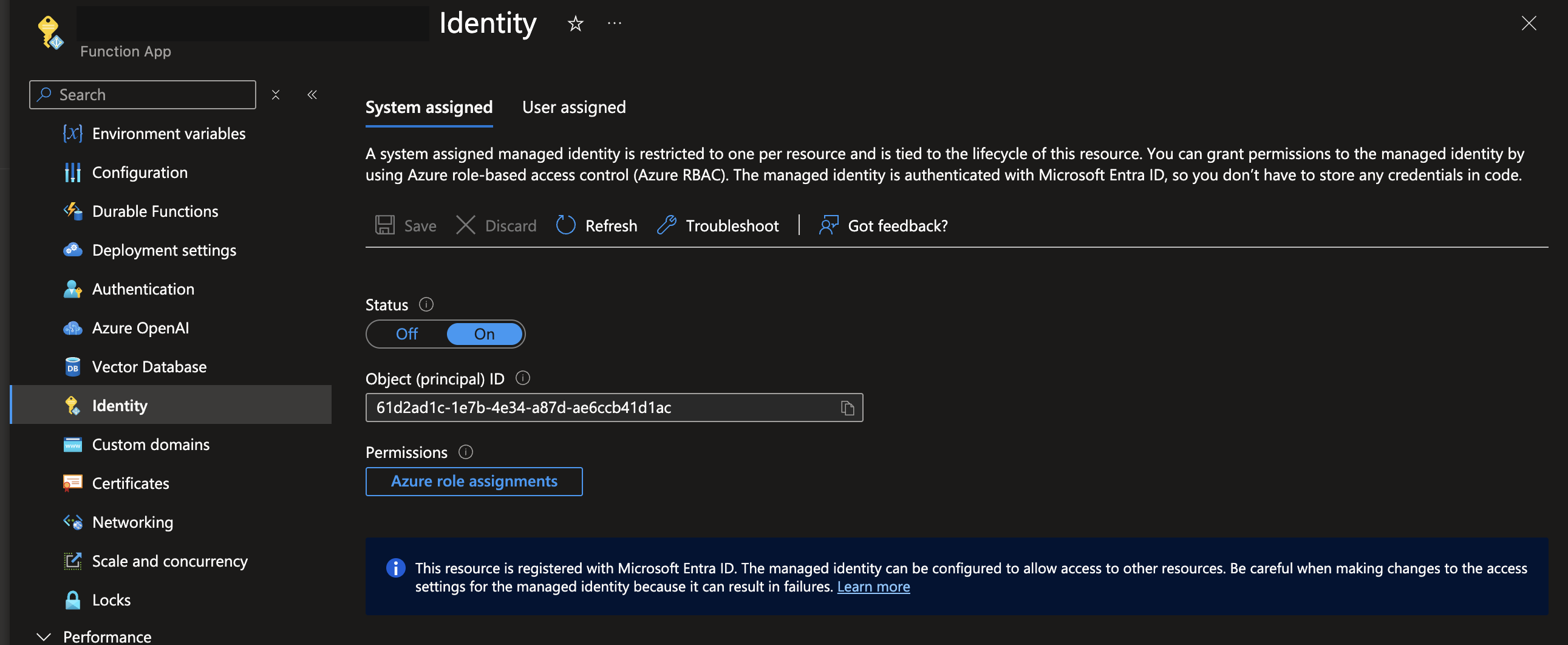
Enable a Managed Identity on the Function
Enabled a system-assigned Managed Identity on the Azure Function. A system-assigned identity is created and destroyed with the Function App itself, the right choice here since only this one resource needs it, versus a user-assigned identity when multiple resources need to share one.
Step 5 of 9
Grant the Managed Identity Key Vault access
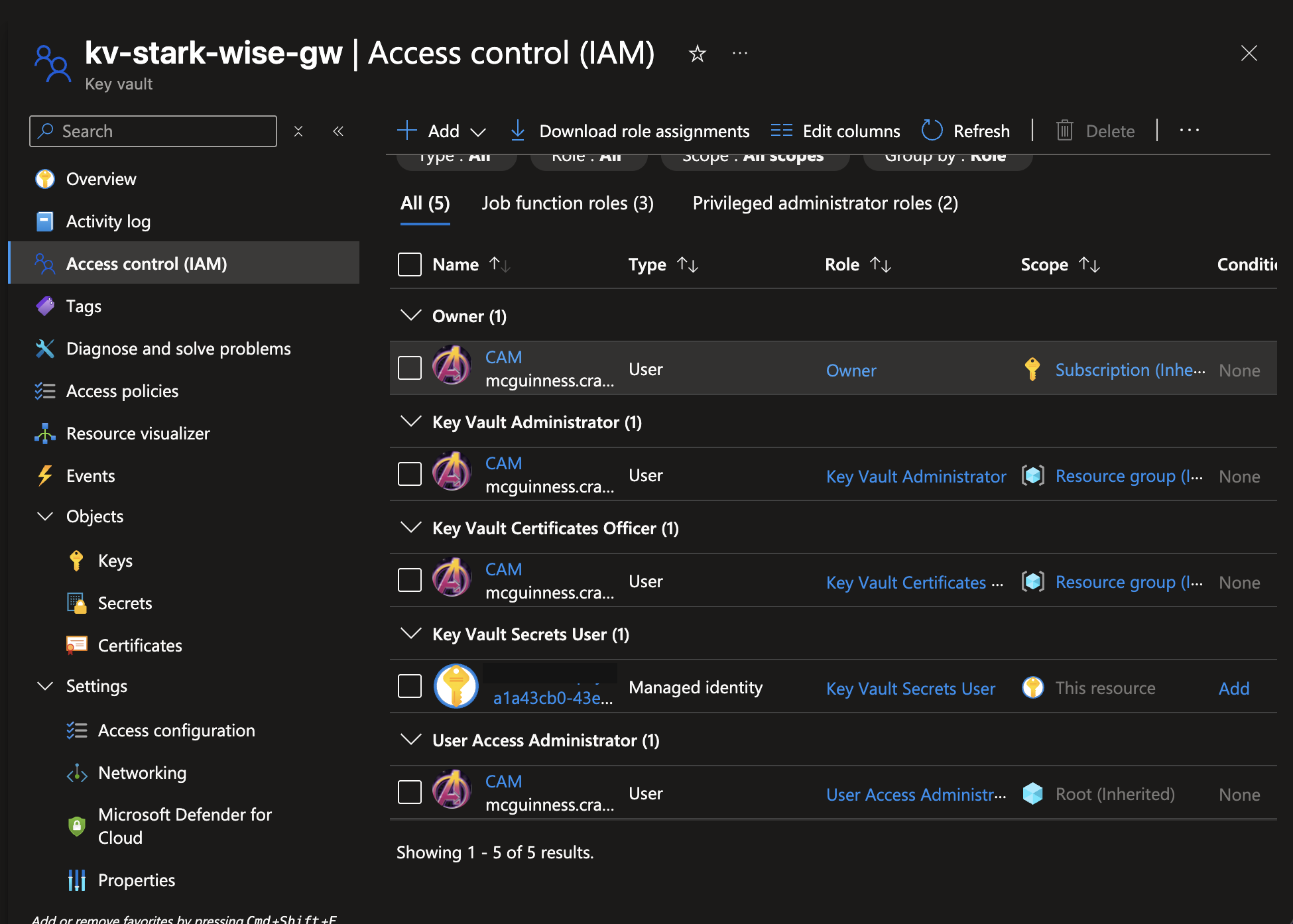
Assigned Key Vault Secrets User to the Function's Managed Identity, scoped to the vault itself. This is the mechanism that lets the Function retrieve the Wise token at runtime with zero credentials in its code: it authenticates to Azure as itself, Azure confirms it holds Secrets User on this vault, and only then is it allowed to read the secret.
Along the way I had two roles assigned to my own account at the resource group level instead of the vault, and removing them directly on the vault failed with Inherited role assignments cannot be removed. A role can only be removed at the scope where it was actually assigned, not from a child resource showing the inherited effect.
Step 6 of 9
Deploy the Function
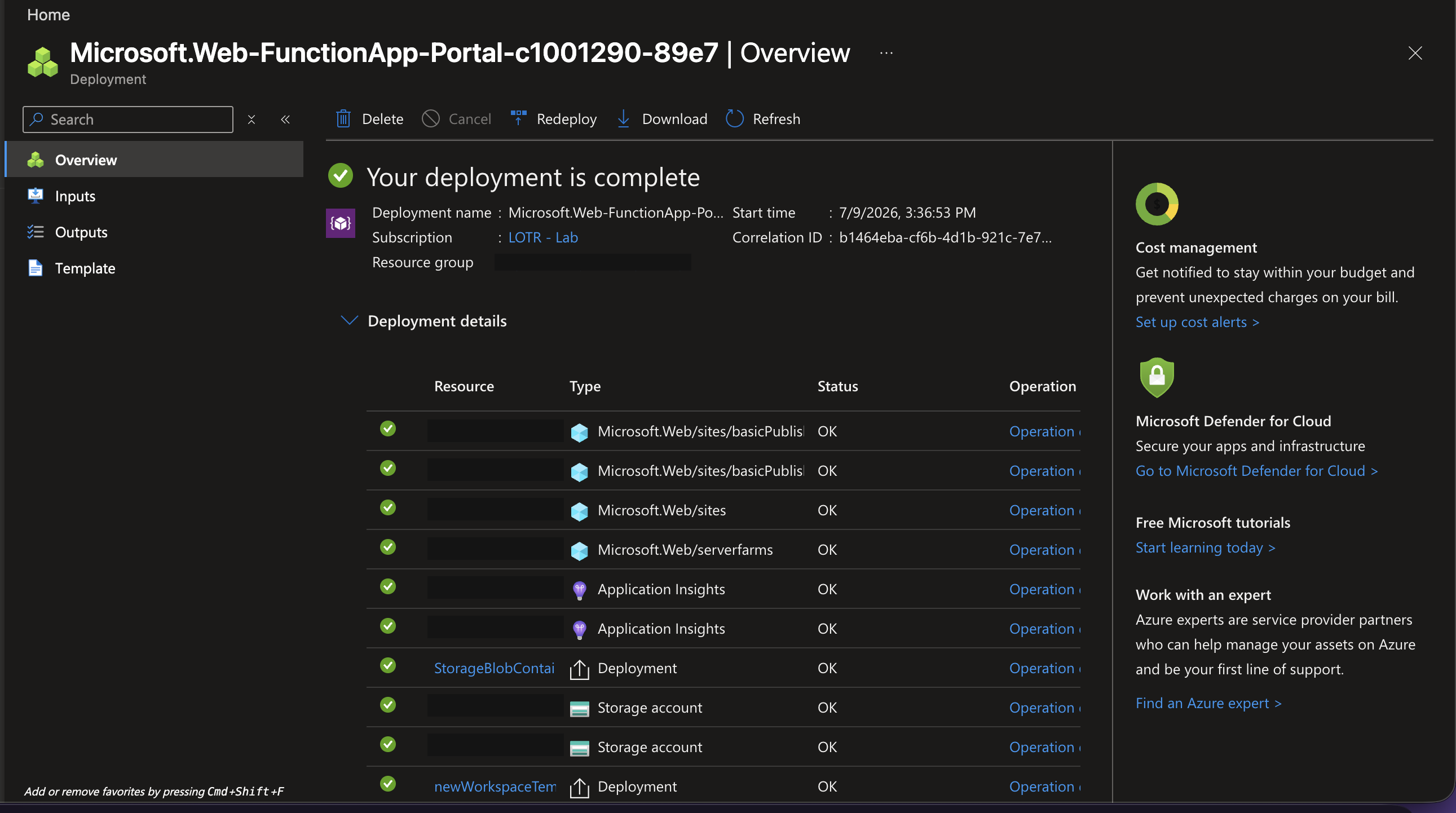
Deployed the Function on the Flex Consumption plan. An earlier deployment through the VS Code extension reported success, but the portal showed zero functions loaded, a missing host.json at the package root, a known Flex Consumption packaging requirement. Redeploying with the Azure Functions Core Tools CLI directly resolved it. A successful deployment message only confirms the upload completed, not that the runtime could load anything from it.
Step 7 of 9
Confirm a genuine response from Wise
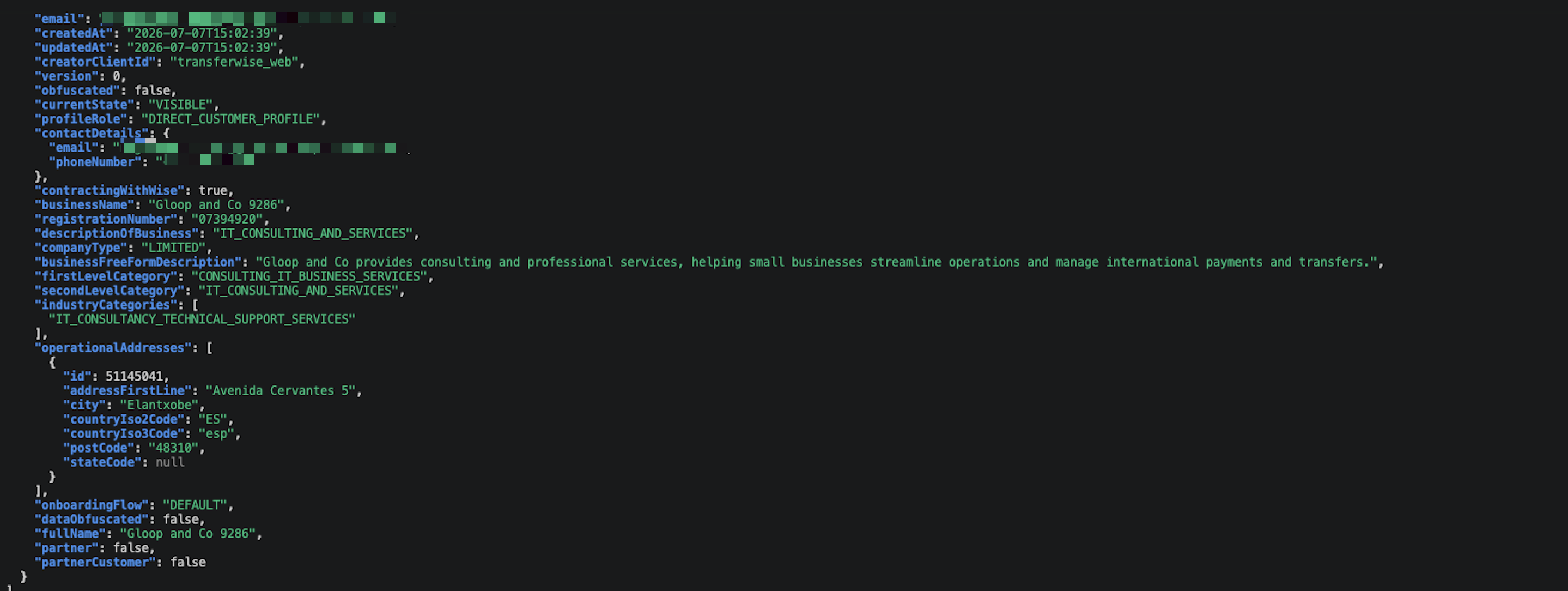
Called the live endpoint and got back a real Wise sandbox response, not a mock. The request flowed through the Function, authenticated to Key Vault using a real Azure identity, retrieved the token, and called Wise's API, without the token ever appearing in code, a terminal command, or a saved API client collection.
Step 8 of 9
Connect Elastic Cloud
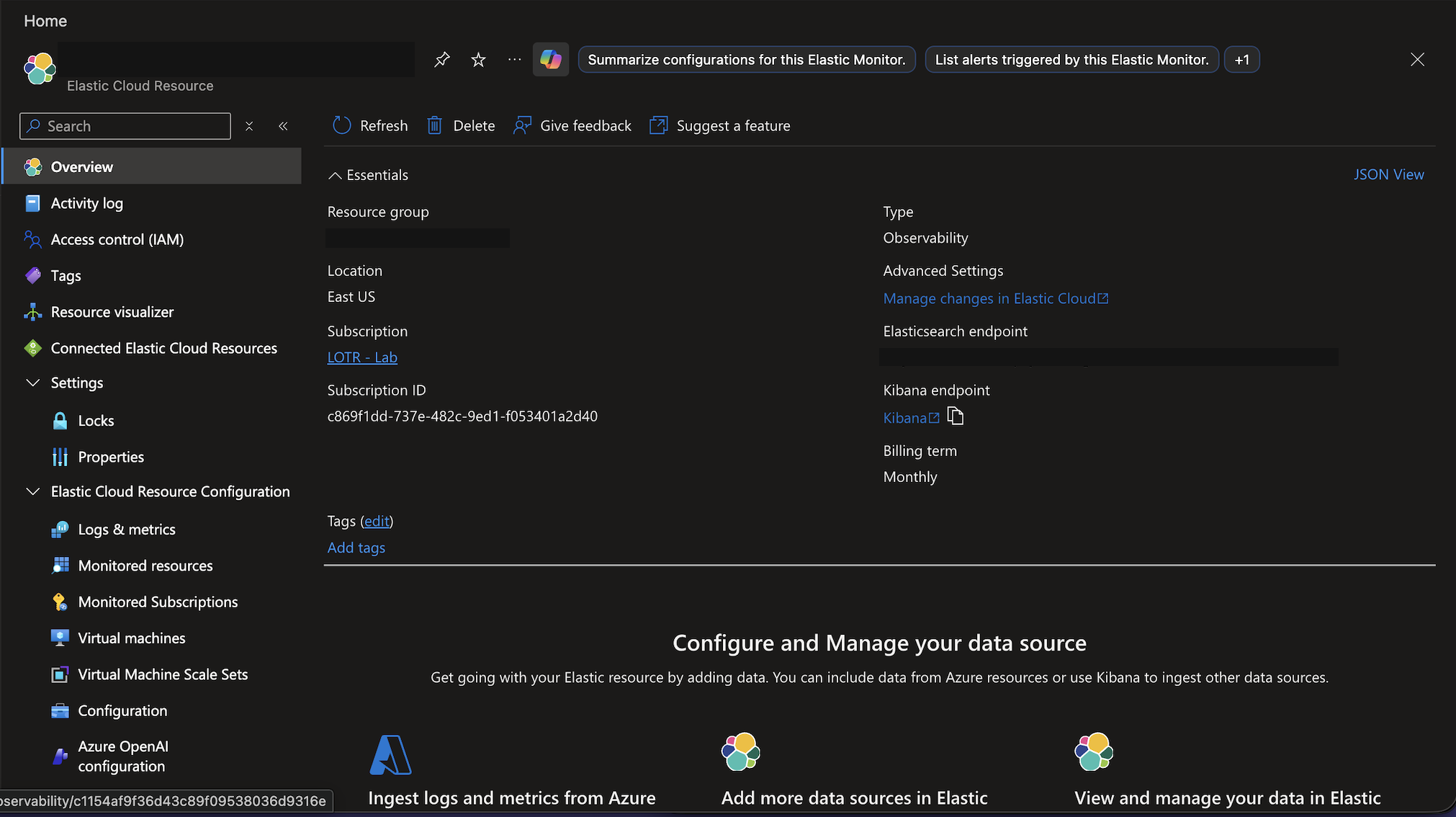
Connected Elastic Cloud through the Azure Native Integration, Observability use case. The integration ships Azure platform and control-plane logs by default, not Application Insights request telemetry, which turned out to be exactly what this project needed: Key Vault logs every SecretGet operation, precisely the call the Managed Identity makes each time the Function retrieves the Wise token.
Step 9 of 9
Confirm the log pipeline in Kibana
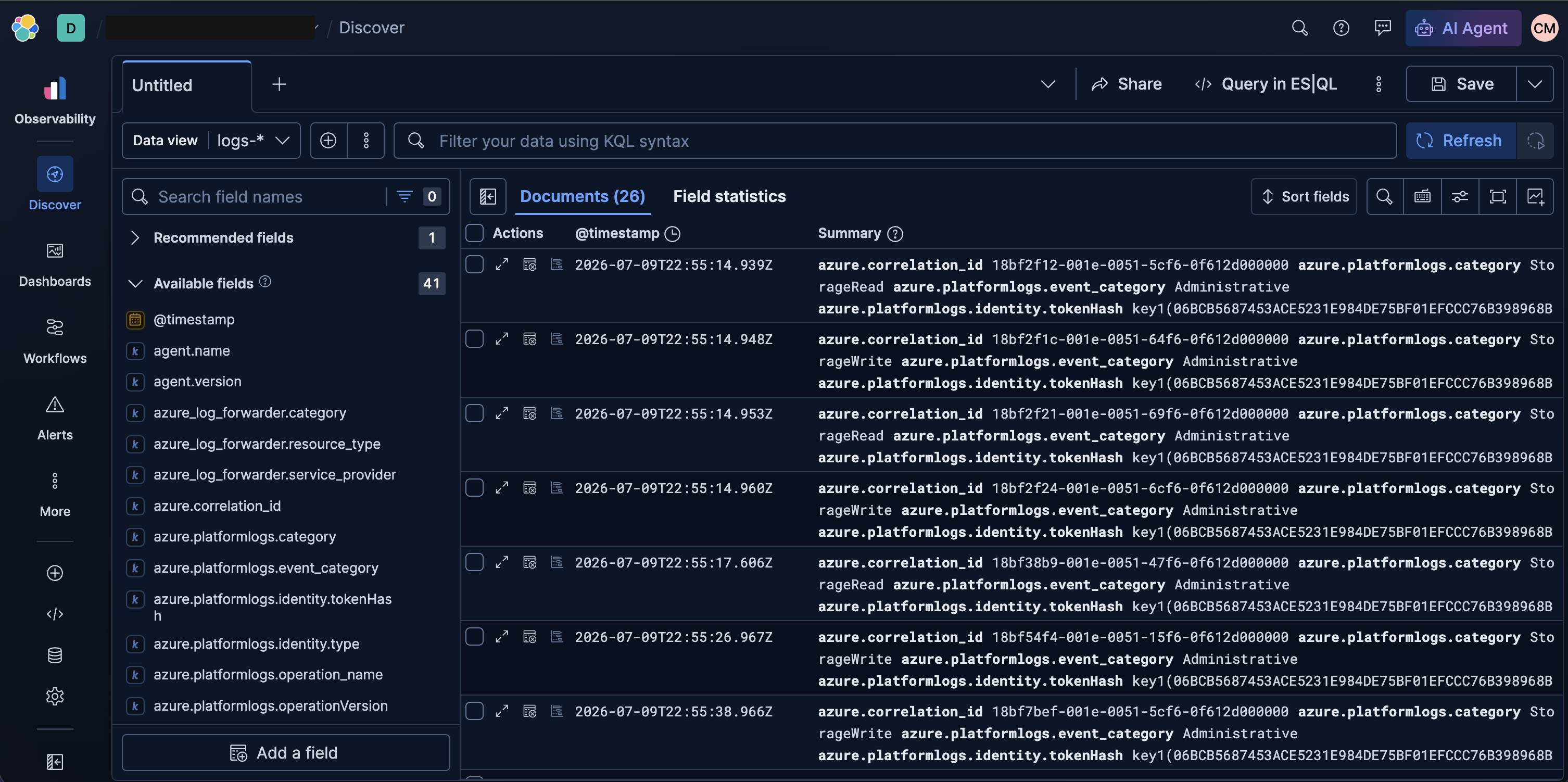
Searched SecretGet in Kibana Discover and found matching events with timestamps lining up against test calls, each carrying a unique correlation ID. That confirmed the full pipeline end to end, from a curl call through the Function and the Managed Identity into Key Vault, captured and queryable in Kibana.
What went wrong
Honest account
With the system working, I deliberately broke it four different ways. First, removed the Key Vault Secrets User role from the Managed Identity. The result was HTTP/1.1 500 Internal Server Error with an empty body, an unhandled exception with no graceful message, and Kibana showed azure.platformlogs.result_signature: "Forbidden" on the matching SecretGet entry, confirming an authorization denial at the Key Vault layer rather than a bug in my code. This one is actually an Azure and IAM-layer issue, something a Wise support engineer would never have visibility into on a real customer's own infrastructure.
The next two scenarios are the real showcase, since both return a 401 from Wise and would look identical to a customer describing "my token doesn't work," but point to two completely different fixes. Second, I created a new Key Vault secret version with a garbage value, simulating a rotated credential that was never updated downstream. Wise returned {"error":"invalid_token"}, while Kibana showed the Key Vault call itself succeeded (isRbacAuthorized: true, result_signature: OK), proving the failure was entirely downstream at Wise and invisible to Azure's own logs. Third, I swapped in a genuinely valid Read-only token and called the write-action endpoint. Wise returned {"code":"error.quote.mustBeAuthenticated"}, a meaningfully different error: the token is recognized as legitimate, it simply doesn't carry enough authentication strength for that specific action. invalid_token needs a corrected token value. mustBeAuthenticated needs the customer to reissue a token with broader access, since their existing one already works correctly.
Restoring between scenarios surfaced a real Key Vault behavior worth knowing. I tried disabling the garbage secret version, assuming Key Vault would fall back to the previous version automatically. Instead it left the secret with no enabled version at all, producing a hard connection failure with zero bytes received, a different failure signature than either the working state or the broken state. Disabling a version does not promote an older version to current. The fix was creating a genuinely new version with the real token, not re-enabling the old one.
Fourth, I called the endpoint with an intentionally wrong function key. The result was HTTP/1.1 401 Unauthorized with zero body content, and no new SecretGet entry appeared in Kibana at all. Unlike the two Wise-side failures, this request never reached the Python code, never touched Key Vault, and never called Wise. The absence of a log entry was itself the diagnostic signal.
What I learned
Takeaways
The most useful lesson came from comparing the two Wise-side failures side by side. A malformed or incomplete token and a token that is valid but under-permissioned both return a 401, and the response body is the only thing that tells them apart. That distinction changes what I'd ask a customer to do next, and it's the actual diagnostic skill a support ticket is testing, not just recognizing that something failed.
Kibana visibility in this build covers Azure platform logs only, specifically the Key Vault SecretGet events the Managed Identity generates. It has no visibility into what Wise itself returned, so a customer reporting either 401 above would show up in Kibana as a completely successful SecretGet event. Closing that gap means having the Function forward Wise's own status code and response body into a separate log index, giving a support engineer one searchable place to see both what Azure did and what the third-party API actually said. I'm documenting that as the next step rather than treating this build as finished, since the diagnostic evidence I already captured was complete and accurate without it.