Project 4
Okta SSO with Zendesk
Architecture
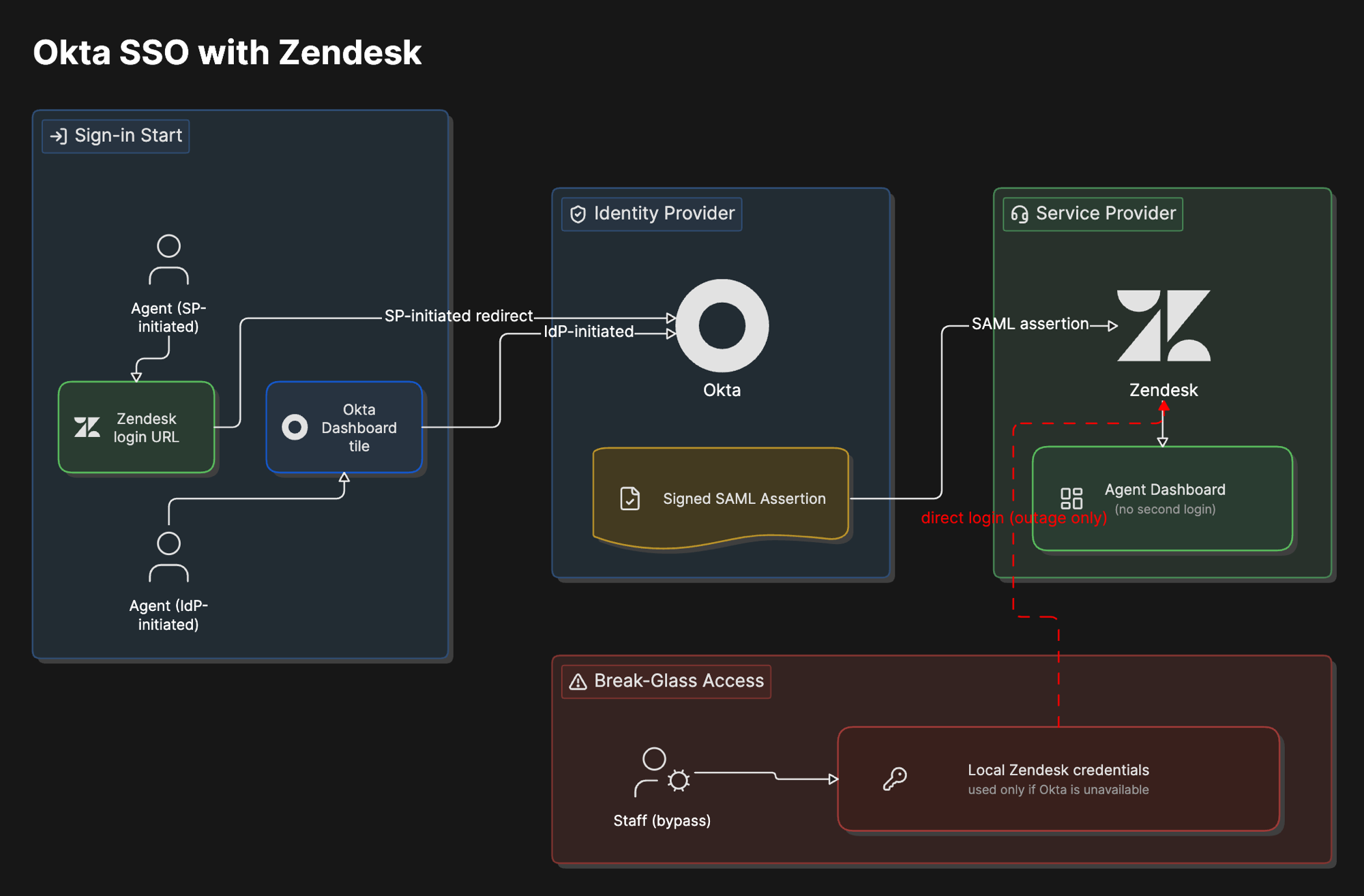
Overview
What was built
Configured SAML 2.0 single sign-on between Okta as the identity provider and Zendesk as the service provider for internal support staff, covering both directions a user might start from: signing in through Zendesk directly (SP-initiated) and signing in through the Okta dashboard and clicking into Zendesk (IdP-initiated).
Why
Why it matters
SSO eliminates password sprawl. One identity in Okta controls access to Zendesk and every other application behind it instead of each one holding its own separate credential.
SAML 2.0 is still the enterprise standard for this kind of federated authentication, Okta is one of the most widely deployed identity providers in real enterprise environments, and Zendesk is a realistic target since support and operations teams across the industry actually run on it. This is the same integration pattern that shows up constantly in real IAM work, just with a different identity provider than the Entra ID version of this project.
How it works
The walkthrough
Step 1 of 2
Configure the trust
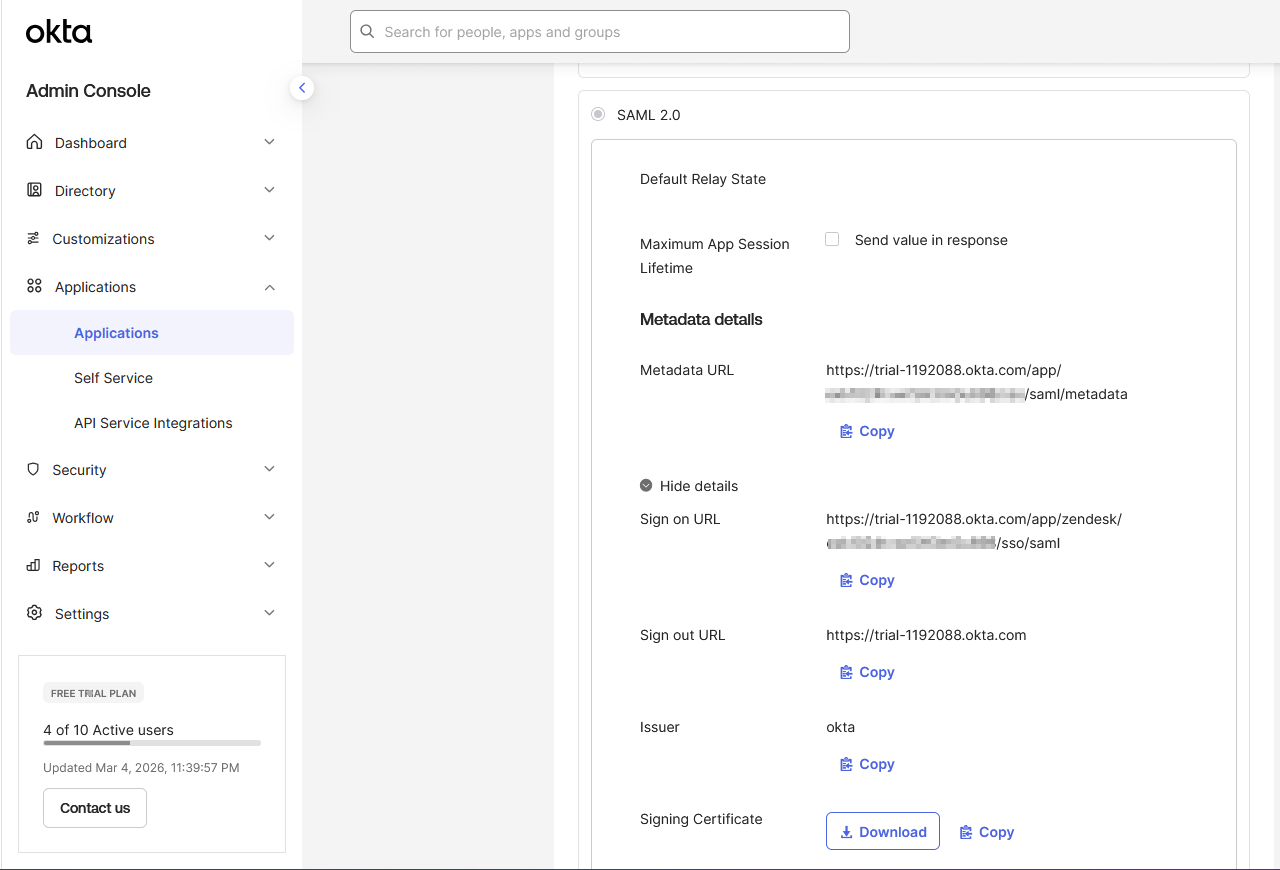
Set SAML 2.0 as the sign-on method for the Zendesk app in Okta, retrieved the three values Zendesk needs (the identity provider SSO URL, the issuer, and the X.509 certificate), and entered them into Zendesk's SAML configuration.
SSO was enabled with staff bypass turned on for break-glass access. If Okta ever has an outage, admins can still reach Zendesk directly through a normal login URL instead of every agent being locked out at once. SSO should never be the only way in.
Step 2 of 2
Assign and test both flows
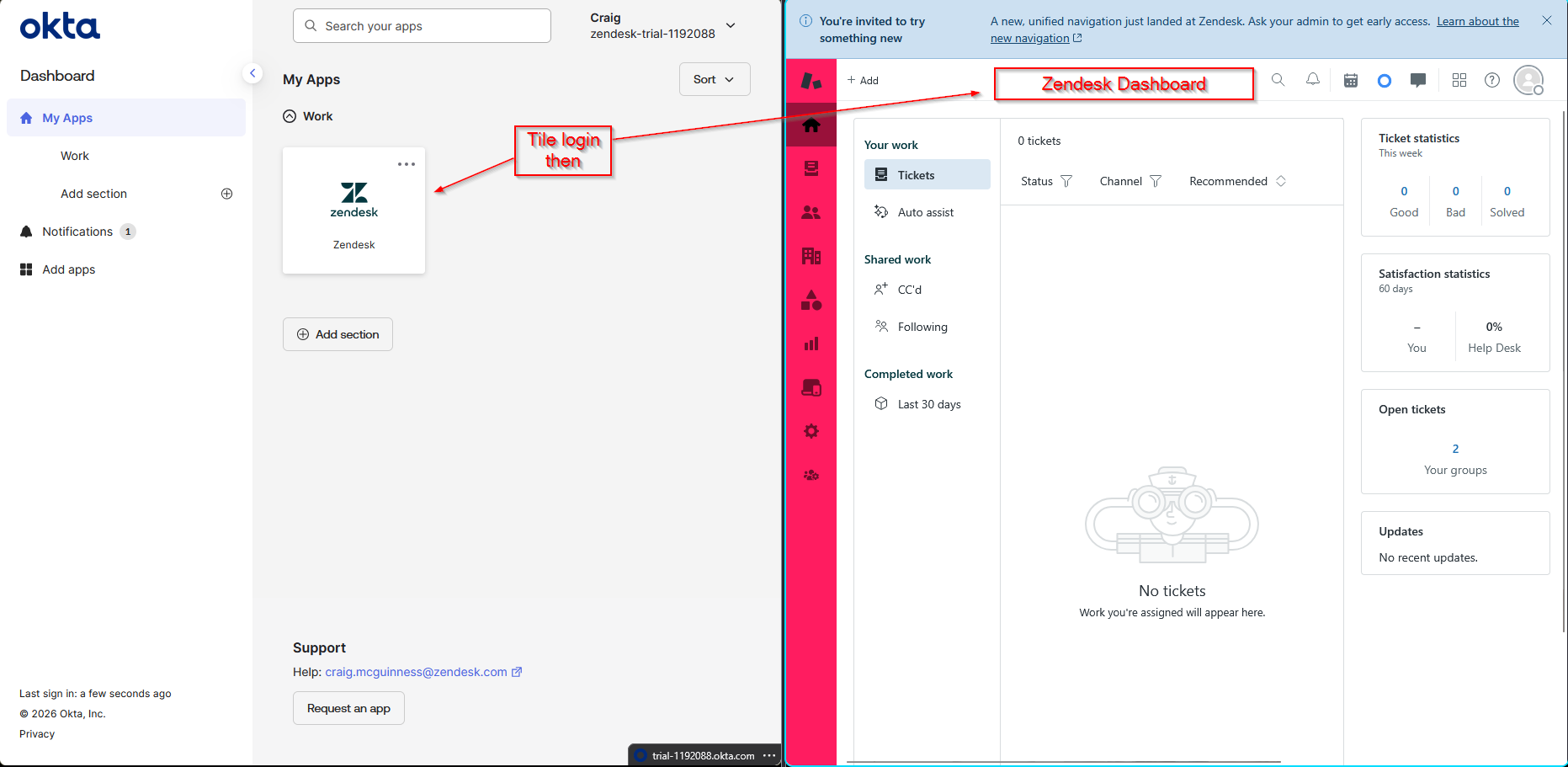
Assigned test users to the app in Okta, then tested sign-in from both directions: starting at the Zendesk subdomain and getting redirected to Okta, and starting from the Okta end-user dashboard and clicking the Zendesk tile directly. Both landed the user in the Zendesk agent dashboard without a second login prompt.
What went wrong
Honest account
Hit four real issues getting this working, each with an identifiable fix. A user not assigned error the first time a test user tried to sign in, because being a valid Okta user is not enough, they also have to be assigned to the Zendesk app specifically. A SAML signature validation failure traced back to an incomplete certificate copy, fixed by re-copying the full X.509 certificate from Okta's SAML setup instructions rather than a partial paste. A redirect loop on login caused by an incorrect SSO URL, fixed by re-copying it directly from Okta's SAML instructions instead of typing it by hand. And after first enabling SSO, a lockout scare that break-glass access solved immediately, since staff bypass was already configured for exactly this situation.
What I learned
Takeaways
Every one of those four issues came from a copied value being wrong, incomplete, or missing, not from a conceptual misunderstanding of SAML. That is the real lesson. SAML SSO is not hard to understand, but it is unforgiving about exact values, and the fastest way to debug it is to re-copy the specific field the error is complaining about rather than re-reading the whole configuration from scratch. Testing both SP-initiated and IdP-initiated flows separately also matters, since they exercise the trust relationship differently and a bug in one does not guarantee a bug in the other.