Project 3
Enterprise SSO with Conditional Access
Architecture
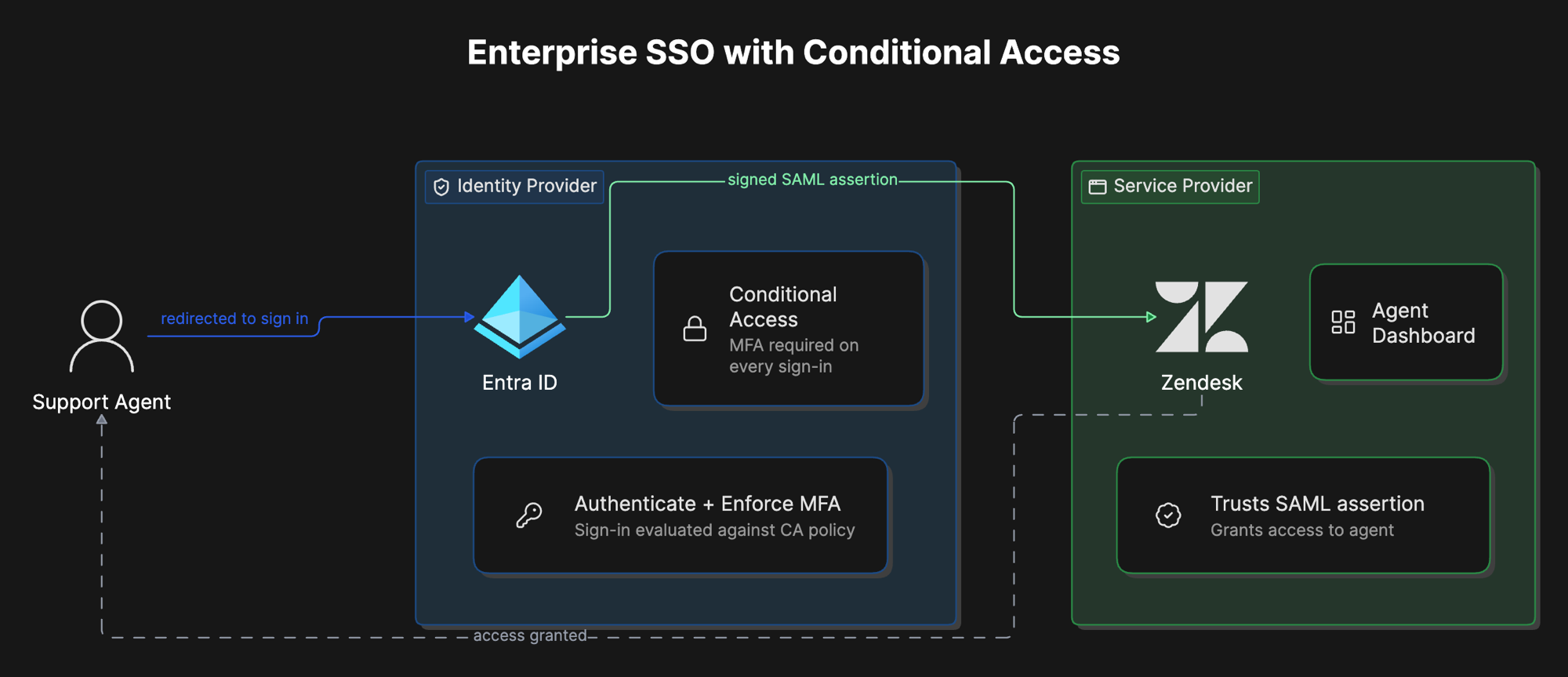
Overview
What was built
Connected Zendesk to Microsoft Entra ID as the identity provider over SAML 2.0, then layered a Conditional Access policy on top that requires MFA for every sign-in to Zendesk. Support agents authenticate through Entra ID instead of a Zendesk-only password, get challenged for MFA before they ever reach the application, and can be provisioned, monitored, or cut off from one place instead of inside Zendesk itself.
Why
Why it matters
A support team signing in to Zendesk with individual local passwords has no central visibility and no fast way to revoke access when someone leaves. Every agent account is a separate point of failure.
Centralizing authentication in Entra ID and enforcing MFA through Conditional Access, rather than relying on Zendesk's own login screen, moves the security control to a layer the application cannot bypass. That distinction, MFA enforced before the user reaches the app instead of inside it, is the difference between a security control and a security suggestion.
How it works
The walkthrough
Step 1 of 3
Register and configure SAML
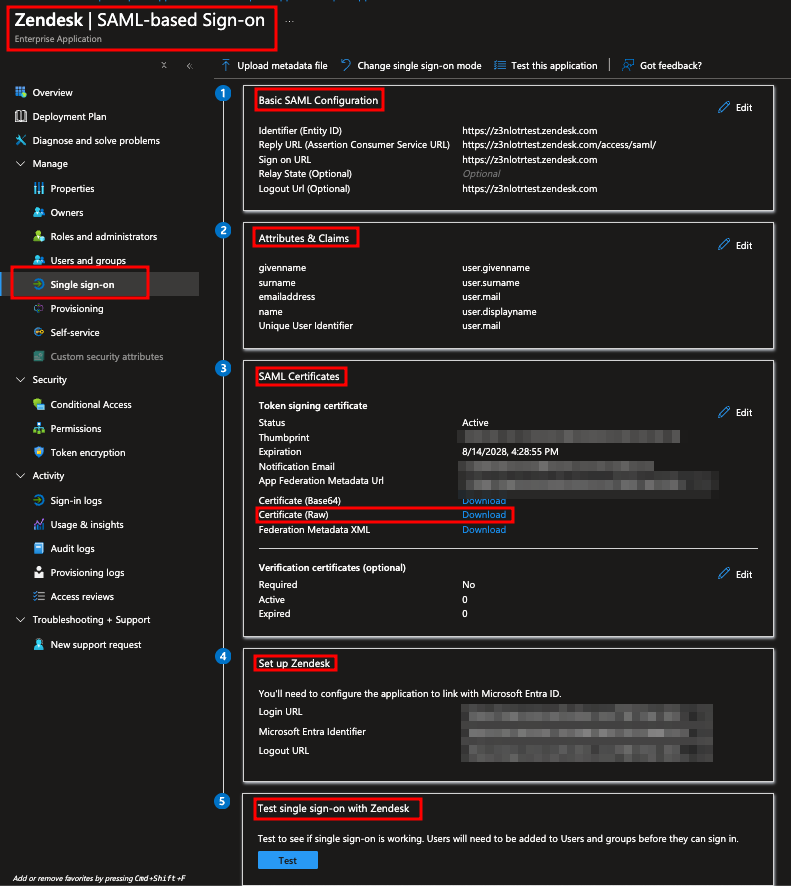
Registered Zendesk as an Enterprise Application in Entra ID and configured the SAML trust: Entity ID, reply URL, and sign-on URL on the Entra side, then the matching SAML SSO URL and certificate thumbprint on the Zendesk side. SAML is unforgiving about precision here. Every value has to match exactly between the two systems, or the trust relationship does not form at all.
Step 2 of 3
Assign users and enforce MFA
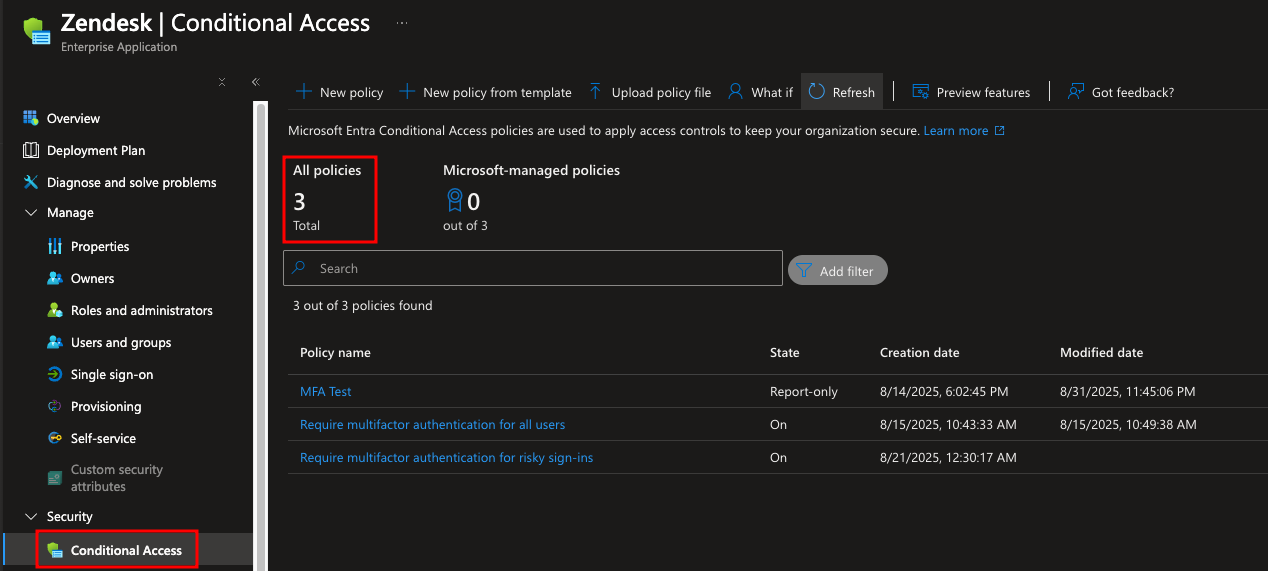
Created a security group for Zendesk agents through the Microsoft 365 Admin Center, assigned them to the app in Entra ID, and built a Conditional Access policy scoped to that group and that app requiring multi-factor authentication. Onboarding agents through the same admin center used for the rest of the organization, rather than inside Zendesk directly, keeps account lifecycle consistent with how every other identity in the tenant is managed.
Step 3 of 3
Verify both flows
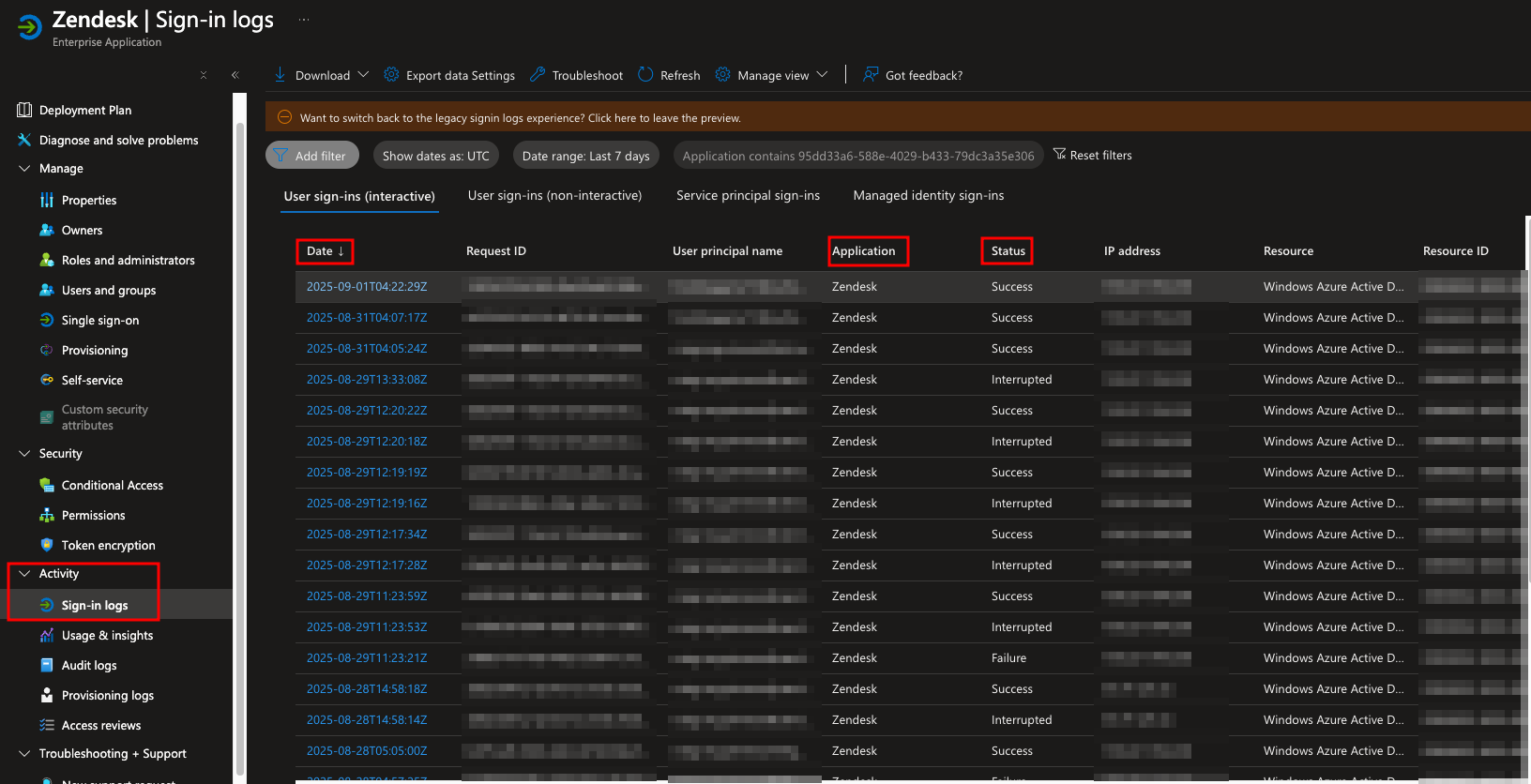
Tested sign-in starting from the Zendesk side and confirmed the redirect to Entra ID, the MFA challenge, and the return to Zendesk all worked, then confirmed the same in Entra's sign-in logs: successful authentication, MFA satisfied, for every test sign-in.
What went wrong
Honest account
This build did not have a dramatic failure, but SAML configuration punishes small mistakes. Getting the Entity ID, reply URL, and certificate thumbprint to match exactly between Entra and Zendesk took more than one pass. A single mismatched value anywhere in that chain does not produce a helpful error message, it just breaks the trust relationship silently, which meant double-checking every field against both systems rather than trusting that copying a value once was enough.
What I learned
Takeaways
Conditional Access policies apply at the token issuance layer, before the user ever reaches the application. That is a meaningfully stronger security posture than app-level MFA, which lives inside the application and can be misconfigured or bypassed independently of everything else. Enforcing MFA at the identity layer means every application behind that identity inherits the same control automatically, instead of needing its own separate MFA setup.